Analytics Ecosystem for Consumer Videos
At 11 p.m., you're scrolling through your camera roll looking for the clip of your dog chasing a drone. You remember the scene, not the filename. Somewhere else, a dashcam owner is searching for the moment a cyclist cut across the lane, while a small business owner is trying to locate the package theft captured by a CCTV camera at 2:14 p.m.
The usual workflow is painful. You scrub thumbnails, check cloud backups, try vague search terms, and still find no useful result because the footage has no rich metadata, transcript, object tag, or aligned timestamp. A practical Analytics Ecosystem for Consumer Videos closes that gap by turning captured footage into searchable visual, audio, and contextual memory.
Table of Contents
- The Moment You Cannot Find That One Video
- Why a Searchable Consumer Video Stack Matters Now
- The Three Layers of a Multimodal Search Stack
- Physical AI grounds the scene
- Audio catches what the camera misses
- Video fusion returns a moment
- Where Mobile, Smart Glasses, DashCam, GoPro, and CCTV Fit In
- Device constraints shape the index
- Industry Use Cases Driving Multimodal Search Adoption
- Advertisement video edition
- Vision for robotics
- Audio for robotics
- Dashcam and CCTV review
- GoPro and physical-AI datasets
- Recovering and Locating a Specific Video Step by Step
- Common Pain Points and a Practical Builder Checklist
The Moment You Cannot Find That One Video
The failure usually starts at capture. A phone records the dog, a dashcam records the road, or a CCTV system records a delivery, but the resulting file often carries only a filename, creation date, and perhaps location. The moment itself remains buried inside a long stream of pixels and sound.
That creates several separate searches at once. You might need the drone as an object, the dog as an action subject, the cyclist as a moving shape, or a package as a visual reference. If the useful clue is a bark, a car horn, or a spoken phrase, a thumbnail search can't help. If the phone and dashcam clocks differ, time filtering becomes unreliable even when both devices captured the same incident.

A useful ecosystem indexes the moment close to capture, then keeps the searchable representation compact enough for the device and network. The user should be able to ask for “the clip where the dog runs toward the drone” or “the cyclist crossing from the right before the near miss” and receive a ranked time segment, not a folder of unrelated files.
Practical rule: Index the clues people remember, not the labels engineers happen to store.
The same principle applies to professional workflows. An editor remembers a product entering frame. A robotics engineer remembers a collision sound. A security operator remembers a person carrying a particular object. Search becomes useful only when the system connects those human descriptions to moments across video, audio, and device context.
The analytics layer therefore includes capture metadata, local or edge processing, multimodal representations, timestamp handling, retrieval, and an interface that exposes the result inside the originating app. A model alone won't solve the problem. The product must preserve enough context to make the result trustworthy and fast.
Why a Searchable Consumer Video Stack Matters Now
Online video has become a default digital behavior rather than a specialist format. DataReportal's Digital 2026 Global Overview reports that 94.6% of online adults watched some kind of online video in the past 30 days, while 91.1% watched online video in the past 7 days. The same source reports that 91.7% consumed streaming TV content monthly, and that video-centric platforms bring daily consumption to more than 2.5 hours per day, or 18 hours and 36 minutes per week per user.
That behavior creates a retrieval problem at every layer of the consumer stack. Phones, action cameras, doorbells, smart glasses, dashcams, and social applications produce footage that users expect to search as naturally as documents or photographs. Streaming TV also represents 50.4% of total internet users' TV watch time globally, according to the same report, so video is a primary viewing surface, not an occasional supplement.
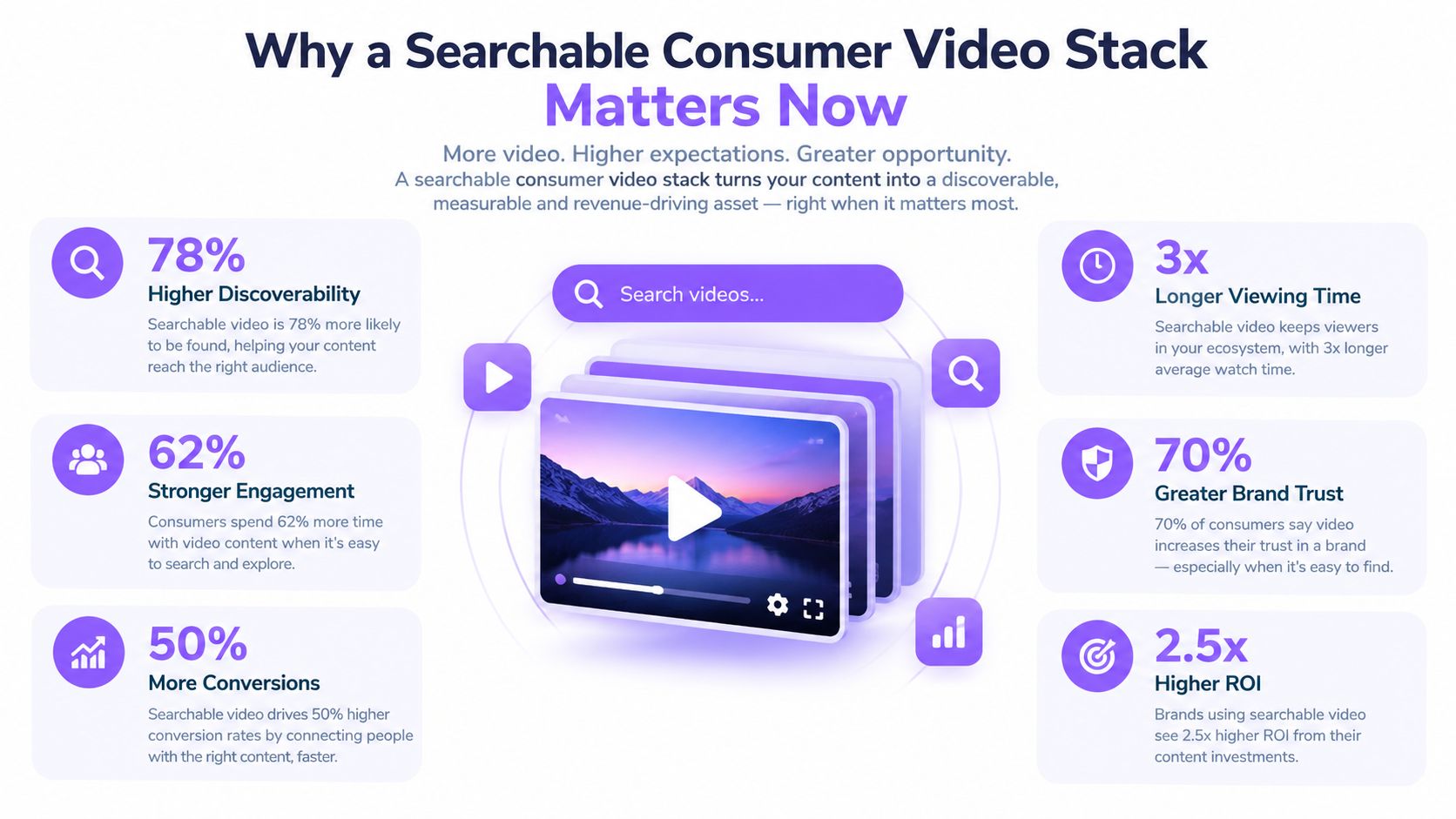
The market investment reflects that shift. Grand View Research's video analytics market summary estimates the global market at USD 12.71 billion in 2024, with a projection of USD 37.84 billion by 2030 and a 19.5% CAGR from 2025 to 2030. A separate estimate in the same verified market context places AI video analytics at USD 5.04 billion in 2025, projected to reach USD 17.23 billion by 2031, with a 22.72% CAGR.
Those figures describe a broad market that includes surveillance and smart-city systems, but the technical direction also matters for consumer products. Teams are moving from simple motion counts toward scene understanding, semantic retrieval, and multimodal context. The missing infrastructure sits between capture and use: a searchable memory layer that respects device limits, privacy requirements, and real-world latency.
Physical AI makes that layer more important. A robot, smart glass, or phone doesn't just display video. It needs to locate a relevant event, understand its surroundings, and act or assist based on a specific moment. That requires retrieval designed around frames, sound, movement, and environmental context, not only cloud-hosted video files.
The Three Layers of a Multimodal Search Stack
A practical stack separates responsibilities across three complementary layers. Physical AI provides visual grounding, multimodal audio identifies events that vision may miss, and multimodal video binds both signals into a time-localized result.
| Layer | Primary Input | Model Example | Retrieval Output |
|---|---|---|---|
| Physical AI | Frames, motion, pose, objects, scenes | Vision-language encoder with motion or pose features | Objects, actions, environments, and visual moments |
| Multimodal audio | Speech, sound events, acoustic scenes | Speech recognition and audio-language alignment | Spoken phrases, alarms, barks, impacts, and sound-linked timestamps |
| Multimodal video | Visual and audio streams over time | Temporal fusion model with contextual metadata | Ranked clip segments with time ranges and supporting context |
Physical AI grounds the scene
The visual layer answers questions such as whether a person, bicycle, drone, shelf, or package appears in the footage. It can also represent movement, pose, and scene context, which helps distinguish “a dog near a drone” from “a drone on a table.”
On-device inference reduces the need to upload raw footage, but it introduces model-size and battery trade-offs. A mobile encoder that runs continuously may need lower sampling or a smaller representation than a cloud model used for occasional review. Compression, rotation, poor lighting, and camera shake also affect the reliability of visual signals.
Audio catches what the camera misses
Audio supplies event triggers that may be invisible or ambiguous in a frame. A siren, bark, glass break, collision, alarm, or spoken brand mention can narrow a search even when the object is partly obscured.
Speech recognition is useful for interviews and advertisements, while sound-event classification matters more for robotics, dashcams, and CCTV. The trade-off is not only transcription quality. Continuous audio processing consumes power, and microphones on phones, smart glasses, and robots have different noise profiles.
Video fusion returns a moment
Single-frame labels often fragment an event. Temporal fusion connects what happened before, during, and after the relevant cue. Timestamp alignment, GPS, device identity, and sensor signals then help rank a usable segment rather than an isolated image.
The operational metrics need to reflect this pipeline. A practical video analytics workflow emphasizes measuring throughput in frames per second and end-to-end latency per frame or request, while separating decoding, preprocessing, and inference. Average model latency can hide delays in decoding or preprocessing, especially on heterogeneous edge hardware.
A fast model doesn't produce a fast search result if the device can't decode and prepare the video quickly enough.
Where Mobile, Smart Glasses, DashCam, GoPro, and CCTV Fit In
The capture device determines what the analytics ecosystem can preserve. A phone can use operating-system services for location and motion, while a CCTV installation may produce continuous streams with limited local context. Treating both as identical sources usually creates either unnecessary processing or missing evidence.
Device constraints shape the index
Smartphones offer the richest application environment. Android and iOS can expose gallery, location, motion, and background-processing services, but continuous indexing competes with battery, thermal headroom, and storage. Smart glasses have tighter limits. Their clips may be short and shaky, so useful indexing often depends on careful sampling and a division of work between the device and an edge or cloud service.
Dashcams have predictable geometry and valuable road context, but loop recording creates urgency. If the system doesn't mark important segments quickly, later footage may overwrite the evidence. GoPros and similar action cameras can provide GPS, gyro, altitude, and orientation signals, yet third-party developers may have to work around limited application integration.
CCTV and doorbells invert the problem. They run for long periods and produce motion-triggered clips, but most footage contains little useful activity. A retrieval system must filter sparse signal without forcing an operator to review everything.
| Device | Typical Clip Length | Key Metadata Captured | Indexing Window | SDK Reality |
|---|---|---|---|---|
| Smartphone | Short clips to long recordings | Time, location, motion, device context | Background processing is battery-bound | Strong OS APIs, platform-specific behavior |
| Smart glasses | Short, jittery clips | Head movement, orientation, device context | Limited by compute, storage, and power | Emerging integrations, tight hardware limits |
| Dashcam | Looping road segments | Time, road view, vehicle context, sometimes GPS | Short if the loop overwrites footage | Often vendor-specific |
| GoPro | Action sessions and segments | GPS, gyro, altitude, orientation | Depends on storage and session handling | Third-party SDKs may be required |
| CCTV | Motion-triggered or continuous segments | Camera identity, time, motion events | Long capture periods, sparse signal | Installer and vendor ecosystem fragmentation |
The stack should preserve provenance. A search result needs to show which camera produced it, where available, what time range it covers, and whether the source still exists. That matters for a personal gallery, a robotics review tool, and a surveillance workflow alike.
Research on cloud video analytics highlights a persistent developer concern, many vendor systems expose black-box functionality and make it difficult to add algorithms or manage intermediate results. For mobile and edge teams, composability matters as much as model quality. You need to replace a decoder, add a sensor stream, or change the storage policy without rebuilding the entire product.
Industry Use Cases Driving Multimodal Search Adoption
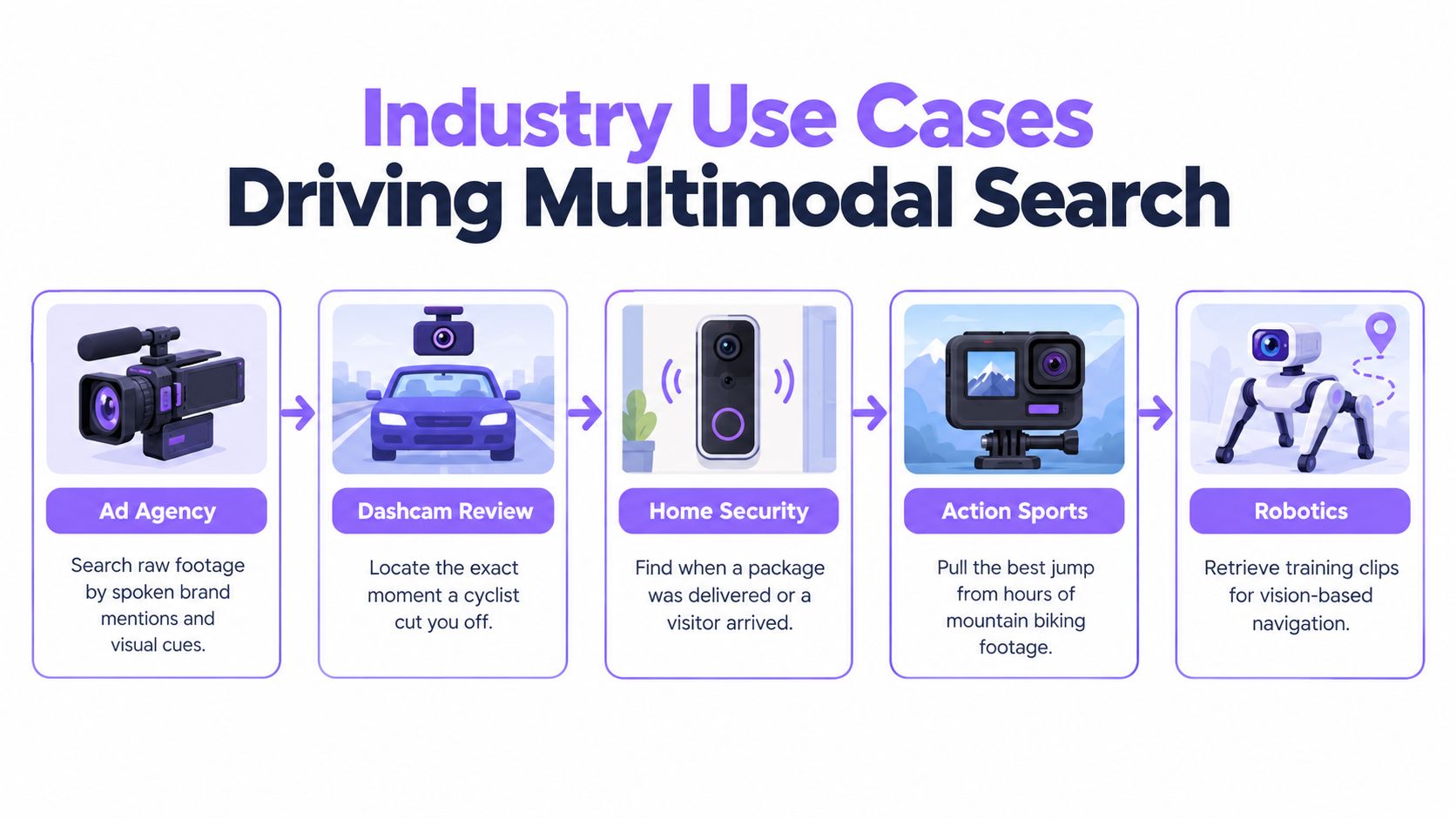
An advertising editor rarely thinks in filenames. The useful query sounds more like “show product close-ups where the narrator mentions the new package,” combining spoken language with visual composition. A multimodal index can narrow raw footage to candidate segments, after which the editor still makes the creative decision.
Advertisement video edition
Advertisement video editing benefits from synchronized speech, product, scene, and timing signals. Searching only transcripts misses silent product shots. Searching only visual tags misses the line that establishes the message. The practical output is a shortlist of timestamped segments that an editor can inspect in a familiar timeline.
Vision for robotics
A warehouse robot that contacts a shelf needs more than a collision label. The review team may need the visual approach, the shelf position, the robot's motion, and the surrounding environment. Local retrieval is valuable when the robot is offline or when sending all raw footage elsewhere creates unacceptable bandwidth or privacy exposure.
Audio for robotics
Audio can identify a warning beep, motor strain, impact, or human instruction. A robot's camera may see a normal-looking scene while the microphone captures the event that explains a failure. Combining audio with visual context helps engineers locate the relevant period without manually reviewing continuous recordings.
Dashcam and CCTV review
A dashcam owner searching for a near miss might combine a natural-language description with a date, road corridor, and direction of travel. The system should return the precise segment, not every clip containing a road.
For CCTV, a store owner could provide a still image of a package or person, then filter by motion and camera location. A CCTV integration overview describes the established pipeline of camera capture, AI stream analysis, and alert or dashboard output. Forensic systems increasingly combine CCTV, dashcam, bodycam, and social-media footage so operators can search for objects, people, and audio across sources.
GoPro and physical-AI datasets
An action-camera user may ask for the best jump along a GPS corridor while filtering for a particular camera tilt. The same selective retrieval pattern applies to robotics training. A recent video-data workflow for robotics and driving describes filtering a 90 PB web archive by scenario, environment, lighting, camera angle, and action type, then extracting pre-cut MP4 clips with structured metadata and precise timeframes.
Benchmarks are moving in the same direction. The FLARE retrieval benchmark context includes 399 screened long videos totaling 225.4 hours and 274,933 user-style queries, while the older CCV dataset contains 9,317 YouTube videos across 20 semantic categories. The lesson is practical: test segment localization and recall with natural user queries, not only global classification.
Recovering and Locating a Specific Video Step by Step
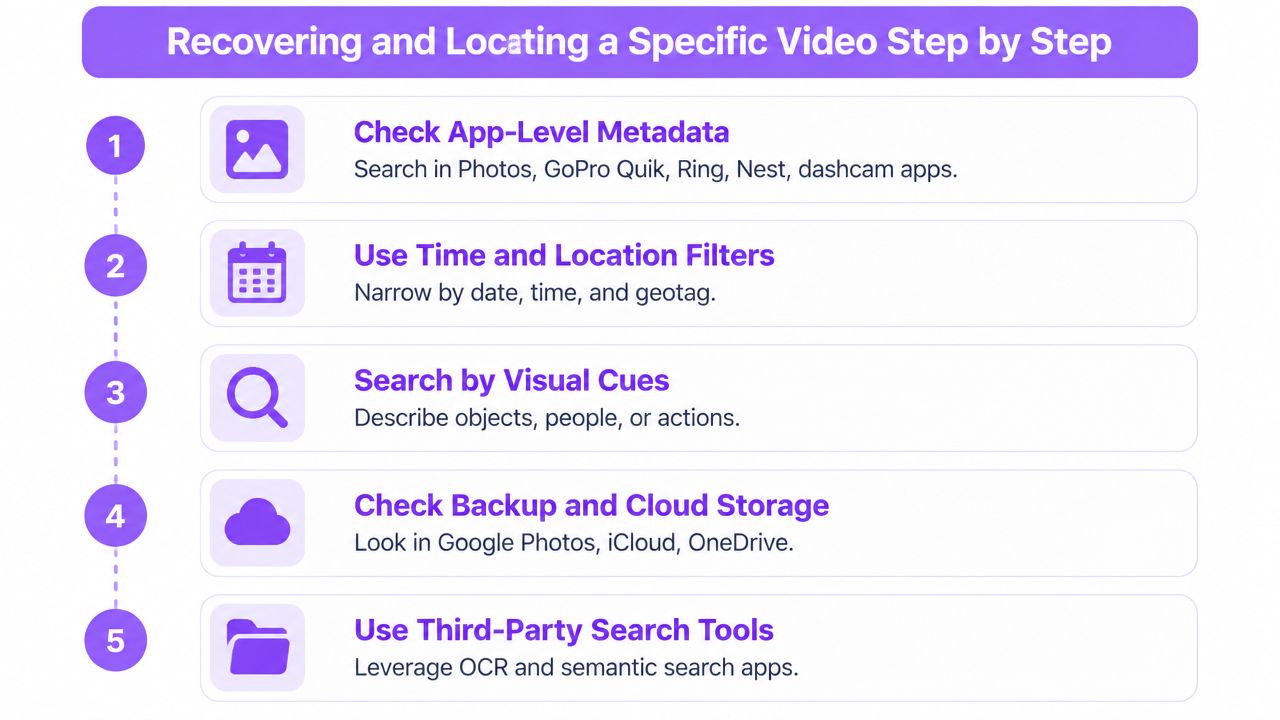
Start with the easiest evidence. Don't begin by scanning every file or uploading everything to a new service. The application that captured or organized the footage often has the strongest time, location, device, and event metadata.
-
Check app-level metadata first. Search Apple Photos, Google Photos, GoPro Quik, Ring, Nest, and the dashcam companion app. Filter by device, date, location, detected subject, or event type before trying broader tools.
-
Use time and location filters. Reconstruct the capture window from calendar events, travel history, or the device's location timeline. Check clock drift between a phone, dashcam, CCTV recorder, and action camera, because apparently matching timestamps may not refer to the same moment.
-
Search from a known frame. If you have one clean still, try Google Lens or Bing Visual Search. A visual query is particularly useful for CCTV and dashcam footage, where a distinctive package, vehicle, garment, or road sign may be easier to identify than a filename.
-
Check cloud and account history. Review Google Photos, iCloud shared albums, OneDrive, vendor cloud tiers, and any export folders. Content measurement remains difficult when streaming services lack complete title and episode metadata, as discussed in the strategic review of content measurement. The same principle applies to personal footage: access rights and metadata completeness determine what can be found.
-
Run an on-device multimodal query where available. Natural-language search in supported versions of iOS, Pixel Screenshots, and Samsung Gallery can combine scene, speech, and location clues. Use a phrase describing the event, then refine with the visible object or approximate time.
If the clip still doesn't appear, inspect the source device. Check the SD card, dashcam ring-buffer behavior, camera export folders, and vendor overwrite policy. Stop recording to the card if recovery matters, because new writes can destroy recoverable fragments.
Common Pain Points and a Practical Builder Checklist
A dashcam near miss, a CCTV package search, or a robotics incident exposes the same failure: more tags and a larger cloud bill do not guarantee that users can recover the right segment. Four problems appear repeatedly:
- Silent over-tagging: Per-frame labels increase storage and split one event into disconnected results.
- Privacy exposure: Uploading raw phone, smart-glasses, dashcam, or CCTV footage increases exposure for private spaces and bystanders.
- Brittle device processing: Embeddings that run on a development handset may trigger thermal pressure, memory failures, or slow background work on older hardware.
- Unused dashboards: A reporting surface has little value if the mobile application cannot show retrieval misses where users search.
Cloud-only pipelines also strain bandwidth for dashcams and CCTV. Per-frame labels can identify an object while missing the sequence linking an impact, its sound, and the movement before it. Account metadata often supplies a better starting signal. Capture time, device identity, location, and album context can narrow the search before another model runs.
Builder checklist: Capture motion and audio cues on the device, keep compact representations locally, synchronize semantic indexes lazily, expose a multimodal query field in the app, and measure retrieval misses before adding models.
Benchmark the complete pipeline, including video decoding and preprocessing. Model accuracy alone will hide delays and failures in production. Test long videos, multimodal user-style queries, and segment localization. On real consumer hardware, include offline behavior, clock alignment, sensor loss, thermal limits, and deletion policies. A mobile-first design should also define which features run on the handset, which fall back to an edge gateway, and which require the cloud.
V-Modal AI provides a Visual Memory Layer for Physical AI with multimodal video and audio search, edge-oriented memory, natural-language and visual queries, plus Android and Flutter SDK options for mobile and hardware integrations. Teams moving from manual scrubbing to searchable memory on phones, cameras, and embedded devices can evaluate the platform and examples through V-Modal AI.
Start with one painful retrieval workflow and measure whether users recover the correct segment from natural-language and visual cues. Then review the multimodal search API, mobile SDKs, and edge-memory examples in the V-Modal AI repository to build that workflow into the product.